EN
 PT
 ES
 FR
 DE
 PL
 TR
 JA
 RU
 UA
 IT
 CS
 KO
 SV
 NL
 DA
 AR
收藏本页
按下 Ctrl+D(Mac 上为 Cmd+D)即可收藏本页。 打开浏览器菜单(⋮ 图标,iPhone 上点“分享”),选择“添加书签”或“添加到主屏幕”即可保存本页。

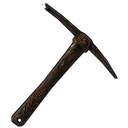
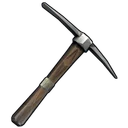
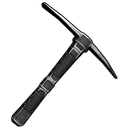
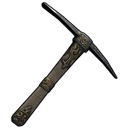
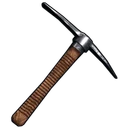
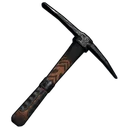
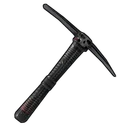
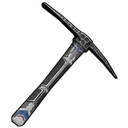
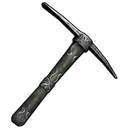
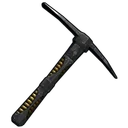
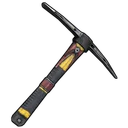
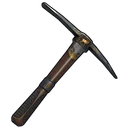
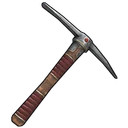
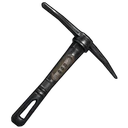
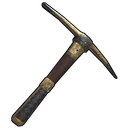
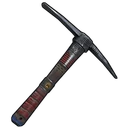
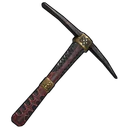
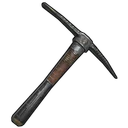
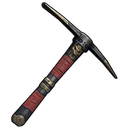
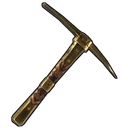
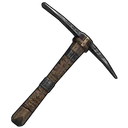
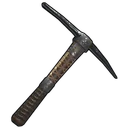
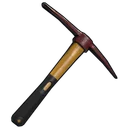
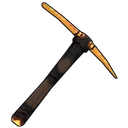
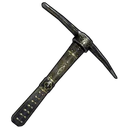
铁镐
铁镐挥击 17 下即可挖空生命值为 500 的石头矿点,并获得 100% 的矿石。
输入名称的前几个字或字母:物品、皮肤、遗迹、监控代码、动物或工具均可。输入玩家常用简称(如 AK、C4 或 HQM)也能搜到。
按下 Ctrl+D(Mac 上为 Cmd+D)即可收藏本页。 打开浏览器菜单(⋮ 图标,iPhone 上点“分享”),选择“添加书签”或“添加到主屏幕”即可保存本页。
铁镐挥击 17 下即可挖空生命值为 500 的石头矿点,并获得 100% 的矿石。
[
  {
    "TargetCategory": null,
    "MaxAmountInOutput": 100,
    "BufferAmount": 0,
    "MinAmountInInput": 0,
    "IsBlueprint": false,
    "TargetItemName": "wood"
  },
  {
    "TargetCategory": null,
    "MaxAmountInOutput": 125,
    "BufferAmount": 0,
    "MinAmountInInput": 0,
    "IsBlueprint": false,
    "TargetItemName": "metal.fragments"
  }
]
一级工作台、15秒、产出 1
使用更高级的工作台制作更快:二级工作台需 7.5秒,三级工作台需 3.75秒。
研究此蓝图需要消耗 40 废料并使用研究工作台。
“保留”是指工具敲下的资源中实际进入背包的比例,其余部分会在挥击时损耗。
使用铁镐采集每个矿石的产出
| 矿石 | 产出 | 挥击次数 | 耗时 | 损坏前可挖矿石数 |
|---|---|---|---|---|
| 石头 | 1,000 石头 | 17 | 24 秒 | 23 |
| 金属矿石 | 600 金属矿石、2 高级金属矿石 | 17 | 24 秒 | 23 |
| 高级金属矿石 | 20 高级金属矿石、400 金属矿石 | 17 | 24 秒 | 23 |
| 硫磺矿石 | 300 硫磺矿石 | 17 | 24 秒 | 23 |
使用铁镐解剖每只动物的产出
| 动物 | 产出 | 挥击次数 | 耗时 | 损坏前可解剖动物数 |
|---|---|---|---|---|
| 鳄鱼 | 8 生鳄鱼肉、77 骨头碎片、54 动物脂肪、77 皮革、13 布 | 18 | 25.5 秒 | 22 |
| 北极熊 | 10 生熊肉、78 骨头碎片、55 动物脂肪、57 皮革、22 布 | 16 | 22.5 秒 | 25 |
| 熊 | 9 生熊肉、68 骨头碎片、45 动物脂肪、45 皮革、22 布 | 18 | 25.5 秒 | 22 |
| 黑豹 | 8 生猫科动物肉、68 骨头碎片、45 动物脂肪、45 皮革、22 布 | 18 | 25.5 秒 | 22 |
| 老虎 | 8 生猫科动物肉、68 骨头碎片、45 动物脂肪、31 皮革、31 布 | 17 | 24 秒 | 23 |
| 公牛 | 9 生牛肉、46 骨头碎片、18 动物脂肪、46 皮革、13 布 | 17 | 24 秒 | 23 |
| 牛 | 9 生牛肉、46 骨头碎片、18 动物脂肪、46 皮革、13 布 | 17 | 24 秒 | 23 |
| 鲨鱼 | 18 皮革、23 骨头碎片、18 动物脂肪、9 布、8 生鱼肉 | 17 | 24 秒 | 23 |
| 狼 | 2 生狼肉、18 骨头碎片、4 动物脂肪、35 皮革、16 布 | 18 | 25.5 秒 | 22 |
| 马儿 | 2 生马肉、23 骨头碎片、4 动物脂肪、23 皮革、11 布 | 17 | 24 秒 | 23 |
| 鹿 | 1 生鹿肉、23 骨头碎片、4 动物脂肪、23 皮革、11 布 | 17 | 24 秒 | 23 |
| 猪 | 3 生猪肉、23 骨头碎片、18 动物脂肪、9 皮革、4 布 | 15 | 21 秒 | 26 |
| 绵羊 | 5 生羊肉、23 骨头碎片、9 动物脂肪、9 皮革、4 布 | 14 | 19.5 秒 | 28 |
| Seagullgroup | 5 骨头碎片、2 布、3 动物脂肪 | 8 | 10.5 秒 | 50 |
| 鸡 | 1 生鸡肉、6 骨头碎片、3 布 | 10 | 13.5 秒 | 40 |
| 蛇 | 2 蛇毒、5 动物脂肪 | 7 | 9 秒 | 57 |
挥击次数从动物倒地后开始计算。
会掉落铁镐的物资箱、油桶与 NPC(按概率从高到低排序)
| 来源 | 概率 | 数量 |
|---|---|---|
 Military Tunnel Scientist | 36.3% | 1 至 3 |
|
Junkpile Scientist | 23.6% | 1 至 2 |
 Peacekeeper and Bandit Guard | 16.7% | 1 |
 Cannon Crate | 11% | 1 |
 Tool Box | 7.8% | 1 |
 Sunken Crate | 5.2% | 1 |
 Mine Crate and Minecart | 2.6% | 1 |
 Sunken Chest | 1.1% | 1 |
 Normal Crate | 0.44% | 1 |
 Wagon Normal Crate | 0.44% | 1 |
|
科学家 | 0.16% | 1 |
 Tunnel Dweller and Underwater Dweller | 0.16% | 1 |
概率指每开启一个容器或击杀一名 NPC 的掉率;数量指一旦掉落时包含的个数。
使用维修工作台修复完全损坏的物品需消耗制作配方的 20%,若仅是部分磨损则消耗更少。
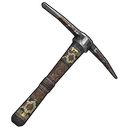
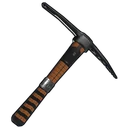
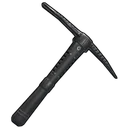
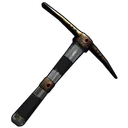
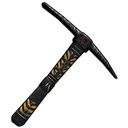
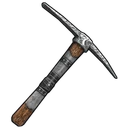
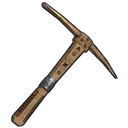
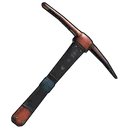
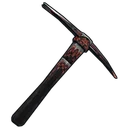
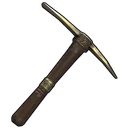
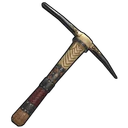
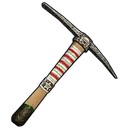
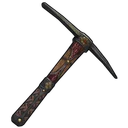
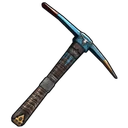
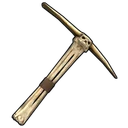
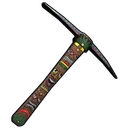
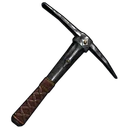
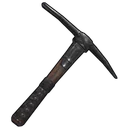
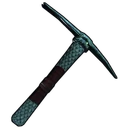
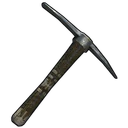
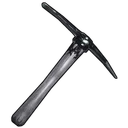
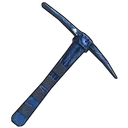
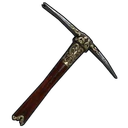
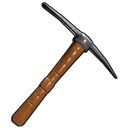
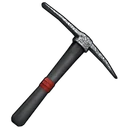
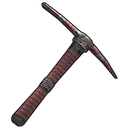
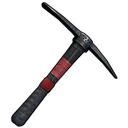
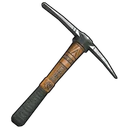
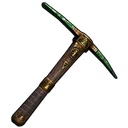
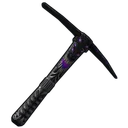
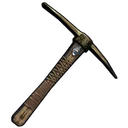
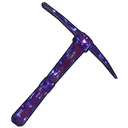
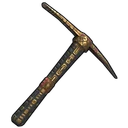
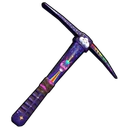
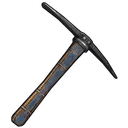
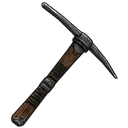
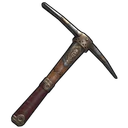
Steam 市场上有 75 款皮肤可以改变铁镐的外观,价格从 $0.74 到 $8.99 不等。
此外还列出:一款标有“Drop”的 Twitch 或 Kick 掉宝皮肤。它不会进入市场交易,因此没有价格。
仅显示以下物品的皮肤
正在显示第 1-20 行,共 76 行
1 / 4
没有找到匹配结果,请尝试输入更短的名称关键词。
在 Rust 中,铁镐属于工具分类下的采集工具(物品 ID #-1302129395,控制台短名称 pickaxe)。采集时只需挥击 17 次即可敲完石头节点,并保留 100% 的资源产出。背包存储时每格仅限存放单个,掉落在地面未拾取时会在 20 分钟后消失。
A Pickaxe, useful for gathering ore from rocks.
在 Rust 中,在一级工作台上制作铁镐需要 15 秒(需先在一级工作台科技树上解锁蓝图,连同前置路线共需 3 Blueprint Fragment),所有弹道、制作与耐久度数据均直接读取自 Rust 游戏文件。将多余的该物品放入绿色分解机分解,可按百分之五十的产出率回收基础材料(安全区的黄色分解机产出率为百分之四十)。受损的物品可在维修工作台上花费远低于制作配方的材料进行修复。
在 Rust 中在铁镐与同类工具之间做选择时,可在研究工作台花费 40 废料研究搜刮或交易来的成品,从而跳过总计 3 Blueprint Fragment的科技树前置链条,或者在团队同样需要前置蓝图时直接沿科技树分支解锁。
| Item | Category | Stack Limit | Craft / Source | Tech Tree / Research | Green Recycler Yield |
|---|---|---|---|---|---|
| 铁镐 | 工具 | 1 per slot | 一级工作台 | 3 Blueprint Fragments (tree) | Not recyclable |
| 石镐 | 工具 | 1 per slot | Crafted by hand | 10 scrap (Table) | Not recyclable |
| 铁斧 | 工具 | 1 per slot | 一级工作台 | 2 Blueprint Fragments (tree) | Not recyclable |
| 电锯 | 工具 | 1 per slot | 二级工作台 | 10 Blueprint Pages (tree) | Not recyclable |
在 Rust 物品图鉴中将铁镐与密切相关的采集工具数据页进行对比:
如需将 铁镐 与同一物品类别下的所有物品进行对比,请浏览工具类别下的全部 37 件物品,或在以下页面规划前置解锁路线:一级工作台科技树完整节点图.
铁镐开采这 4 种矿石节点(石头、金属矿石、高级金属矿石和硫磺矿石)中的任意一种(生命值均为 500)只需挥击 17 次,并能保留 100% 的矿石。 It belongs to the 工具 category under numeric ID -1302129395 across 37 工具 and despawns after 20 分钟 when dropped, with F1 console command inventory.giveid -1302129395 1 across 37 published 工具 entries (29 with crafting blueprints) in Rust.
铁镐可在一级工作台旁使用 100 木头和125 金属碎片 制作,前提是已在一级工作台科技树中解锁。 It sits in the 工具 catalog with item ID -1302129395 alongside 36 related 工具, stacking to 1 unit per slot and despawns after 20 分钟 when dropped, with F1 console command inventory.giveid -1302129395 1 across 37 published 工具 entries in Rust.
在 Rust 中,铁镐会从 12 个容器和 NPC 掉落表中产出,以Military Tunnel Scientist(36.3% 概率)、Junkpile Scientist(23.6% 概率)和Peacekeeper and Bandit Guard(16.7% 概率)为主。列出的各项概率均按开启单个容器或击杀单个 NPC 计算,获得的物品可在基地修理或研究。 It is indexed under the 工具 category alongside 36 other 工具 in Rust (item ID -1302129395), stacking up to 1 unit per inventory or container slot.
铁镐 recycles in Rust at a 无电力绿色分解机 into 50 木头 and 62 金属碎片外加 50% 概率多得一份. Monument green recyclers shred items one unit at a time on fast radtown cycles, whereas safe-zone yellow units trade lower material recovery for peacekeeper protection.
铁镐制作耗时 15 秒(每批 1 件),在三级工作台旁可缩短至 3.75 秒。 It sits in the 工具 catalog with item ID -1302129395 alongside 36 related 工具 and despawns after 20 分钟 when dropped, with F1 console command inventory.giveid -1302129395 1 across 37 published 工具 entries (29 with crafting blueprints) in Rust.
使用维修工作台将完全损坏的铁镐修好需要 20 木头和25 金属碎片。 It is indexed under the 工具 category alongside 36 other 工具 in Rust (item ID -1302129395) and despawns after 20 分钟 when dropped, while F1 console command inventory.giveid -1302129395 1 spawns 1 unit for testing across 37 published 工具 entries.
Blueprint progression for 铁镐 at 一级工作台 in Rust charges one Blueprint Fragment for that node alone, or 3 Blueprint Fragments in all with every node on the branch leading to it, while direct blueprint study at a Research Table charges 40 scrap instead.
在 Rust 中,丢在地上时,铁镐默认会在 20 分钟 后消失。 Picking it back up into a player inventory or storing it inside a base container immediately resets that ground despawn timer, which the server scales by item rarity tier.
铁镐 has 32-bit signed item ID -1302129395 and shortname pickaxe in Rust. Server plugins, custom loot tables, Vending Machine listings, and automated Industrial Conveyor filter strings reference these two identifiers under the 工具 category (stack limit 1 unit per slot).
Server administrators in Rust spawn 铁镐 in the F1 developer console by typing inventory.give pickaxe 1 or inventory.giveid -1302129395 1 for a single unit. Both console spawn commands require administrator or moderator privileges on the server, while regular players can bind a quick-craft shortcut key instead.
 木头
 金属碎片