EN
 PT
 ES
 FR
 DE
 PL
 TR
 JA
 RU
 UA
 IT
 CS
 KO
 SV
 NL
 DA
 AR
收藏本页
按下 Ctrl+D(Mac 上为 Cmd+D)即可收藏本页。 打开浏览器菜单(⋮ 图标,iPhone 上点“分享”),选择“添加书签”或“添加到主屏幕”即可保存本页。

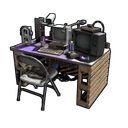
电脑站
电脑站研究需消耗 40 废料,放置后拥有 500 生命值。
输入名称的前几个字或字母:物品、皮肤、遗迹、监控代码、动物或工具均可。输入玩家常用简称(如 AK、C4 或 HQM)也能搜到。
按下 Ctrl+D(Mac 上为 Cmd+D)即可收藏本页。 打开浏览器菜单(⋮ 图标,iPhone 上点“分享”),选择“添加书签”或“添加到主屏幕”即可保存本页。
电脑站研究需消耗 40 废料,放置后拥有 500 生命值。
 高级金属
 笔记本电脑
 射频广播器
 射频接收器
复制后,在游戏内打开传输器界面,按住 Shift 并点击「粘贴(JSON)」。
[
  {
    "TargetCategory": null,
    "MaxAmountInOutput": 5,
    "BufferAmount": 0,
    "MinAmountInInput": 0,
    "IsBlueprint": false,
    "TargetItemName": "metal.refined"
  },
  {
    "TargetCategory": null,
    "MaxAmountInOutput": 1,
    "BufferAmount": 0,
    "MinAmountInInput": 0,
    "IsBlueprint": false,
    "TargetItemName": "targeting.computer"
  },
  {
    "TargetCategory": null,
    "MaxAmountInOutput": 1,
    "BufferAmount": 0,
    "MinAmountInInput": 0,
    "IsBlueprint": false,
    "TargetItemName": "electric.rf.broadcaster"
  },
  {
    "TargetCategory": null,
    "MaxAmountInOutput": 1,
    "BufferAmount": 0,
    "MinAmountInInput": 0,
    "IsBlueprint": false,
    "TargetItemName": "electric.rf.receiver"
  }
]
二级工作台、25秒、产出 1
使用更高级的工作台制作更快:三级工作台需 12.5秒。
研究此蓝图需要消耗 40 废料并使用研究工作台。
打算批量制作,或者凑齐整套装备?制作计算器会按完整制作批次汇总清单,因此所需材料可能会比“原材料总计”中列出的数量略多一些。
会掉落电脑站的物资箱、油桶与 NPC(按概率从高到低排序)
| 来源 | 概率 | 数量 |
|---|---|---|
 Locked Crate | 1.3% | 1 至 2 |
 Elite Crate | 0.78% | 1 至 3 |
| Scientist PT Boat Dry Box | 0.73% | 1 至 3 |
 Military Crate | 0.42% | 1 |
 Underwater Lab Military Crate | 0.42% | 1 |
 Wagon Military Crate | 0.42% | 1 |
 Missile Silo Scientist (underground) | 0.3% | 1 |
 科学家 | 0.074% | 1 |
 重型科学家 | 0.061% | 1 |
 Treasure Box, 任务奖励 | 1.6% | 1 至 2 |
 Gingerbread Mine Present, 仅限 Christmas 活动 | 0.42% | 1 |
概率指每开启一个容器或击杀一名 NPC 的掉率;数量指一旦掉落时包含的个数。
使用维修工作台修复完全损坏的物品需消耗制作配方的 20%,若仅是部分磨损则消耗更少。配方中的部件会折算为其自身配方的第一种材料来计费;若该部件没有制作配方,则不计入维修消耗。
每次敲击按恢复 50 点生命值所需的材料比例计费,向上取整为整数材料,并按实际扣除的材料恢复对应生命值(可能超过 50 点)。目标受到伤害后的 30 秒内无法修理。
电脑站在各类分解机中的产出
| 分解机 | 效率 | 产出 |
|---|---|---|
| 红色分解机 | 75% | 75% 射频广播器, 75% 射频接收器, 75% 笔记本电脑, 3 + 75% 高级金属 |
| 绿色分解机(通电) | 60% | 60% 射频广播器, 60% 射频接收器, 60% 笔记本电脑, 3 高级金属 |
| 绿色分解机 | 50% | 50% 射频广播器, 50% 射频接收器, 50% 笔记本电脑, 2 + 50% 高级金属 |
| 黄色分解机 | 40% | 40% 射频广播器, 40% 射频接收器, 40% 笔记本电脑, 2 高级金属 |
电脑站可分解出射频广播器、射频接收器、笔记本电脑与高级金属。
分解机每次处理 1 个,因此叠满一组(1 个)需要运行 1 次。
数据基于单个满耐久物品计算。点击各分解机名称即可打开其完整表格并定位到该物品。 “3 + 75%”代表每次必得 3 个,且有 75% 的概率再多出一个;单独的百分比则代表获得一个的概率。
此列表包含一款标有“Drop”的 Twitch 或 Kick 掉宝皮肤。它仅改变外观而不影响其他属性,且该物品没有任何可在玩家间交易的皮肤,因此它没有价格。
在 Rust 中,电脑站属于电器分类下的电器(物品 ID #-1588628467,控制台短名称 computerstation)。在实际游玩中,该物品在程序生成地图上遵循电器装备的标准服务器规则。背包存储时每格仅限存放单个,掉落在地面未拾取时会在 20 分钟后消失。
A Computer station for remote control access.
在 Rust 中,在二级工作台上制作电脑站需要 25 秒(需先在工程工作台科技树上解锁蓝图,连同前置路线共需 14 Blueprint Fragment),所有弹道、制作与耐久度数据均直接读取自 Rust 游戏文件。将多余的该物品放入绿色分解机分解,可按百分之五十的产出率回收基础材料(安全区的黄色分解机产出率为百分之四十)。受损的物品可在维修工作台上花费远低于制作配方的材料进行修复。
在 Rust 中在电脑站与同类电器之间做选择时,可在研究工作台花费 40 废料研究搜刮或交易来的成品,从而跳过总计 14 Blueprint Fragment的科技树前置链条,或者在团队同样需要前置蓝图时直接沿科技树分支解锁。
| Item | Category | Stack Limit | Craft / Source | Tech Tree / Research | Green Recycler Yield |
|---|---|---|---|---|---|
| 电脑站 | 电器 | 1 per slot | 二级工作台 | 14 Blueprint Fragments (tree) | Not recyclable |
| 监控摄像机 | 资源 | 64 per slot | World loot / gather | No blueprint | Not recyclable |
| 全景摄像机 | 电器 | 5 per slot | 二级工作台 | 15 Blueprint Fragments (tree) | Not recyclable |
| 震动传感器 | 电器 | 10 per slot | 二级工作台 | 9 Blueprint Fragments (tree) | Not recyclable |
在 Rust 物品图鉴中将电脑站与密切相关的电器数据页进行对比:
如需将 电脑站 与同一物品类别下的所有物品进行对比,请浏览电器类别下的全部 83 件物品,或在以下页面规划前置解锁路线:工程工作台科技树完整节点图.
电脑站放置后有 500 点血量。 It belongs to the 电器 category under numeric ID -1588628467 across 83 电器 and despawns after 20 分钟 when dropped, while F1 console command inventory.giveid -1588628467 1 spawns 1 unit for testing across 83 published 电器 entries (79 with crafting blueprints) in Rust.
电脑站可在二级工作台旁使用 5 高级金属、1 笔记本电脑、1 射频广播器和1 射频接收器 制作,前提是已在工程工作台科技树中解锁。 It sits in the 电器 catalog with item ID -1588628467 alongside 82 related 电器 and despawns after 20 分钟 when dropped, with F1 console command inventory.giveid -1588628467 1 across 83 published 电器 entries (79 with crafting blueprints) in Rust.
在 Rust 中,电脑站会从 9 个容器和 NPC 掉落表中产出,以Locked Crate(1.3% 概率)、Elite Crate(0.78% 概率)和Scientist PT Boat Dry Box(0.73% 概率)为主。列出的各项概率均按开启单个容器或击杀单个 NPC 计算,获得的物品可在基地修理或研究。 It is indexed under the 电器 category alongside 82 other 电器 in Rust (item ID -1588628467), stacking up to 1 unit per inventory or container slot.
电脑站 recycles in Rust at a 无电力绿色分解机 into 50% 概率获得 射频广播器, 50% 概率获得 射频接收器, 50% 概率获得 笔记本电脑 and 2 高级金属外加 50% 概率多得一份. Full material recovery applies to an undamaged copy, whereas worn items return proportionally fewer resources based on their remaining condition bar when shredded.
电脑站制作耗时 25 秒(每批 1 件),在三级工作台旁可缩短至 12.5 秒。 It sits in the 电器 catalog with item ID -1588628467 alongside 82 related 电器 and despawns after 20 分钟 when dropped, with F1 console command inventory.giveid -1588628467 1 across 83 published 电器 entries (79 with crafting blueprints) in Rust.
使用维修工作台将完全损坏的电脑站修好需要 3 高级金属和60 金属碎片,而用锤子将它从完全损坏修满需要敲击 10 下并消耗 12 高级金属和146 金属碎片。 It is indexed under the 电器 category alongside 82 other 电器 in Rust (item ID -1588628467) and despawns after 20 分钟 when dropped, with F1 console command inventory.giveid -1588628467 1 across 83 published 电器 entries.
Blueprint progression for 电脑站 at 工程工作台 in Rust charges one Blueprint Fragment for that node alone, or 14 Blueprint Fragments in all with every node on the branch leading to it, while direct blueprint study at a Research Table charges 40 scrap instead.
在 Rust 中,丢在地上时,电脑站默认会在 20 分钟 后消失。 Picking it back up into a player inventory or storing it inside a base container immediately resets that ground despawn timer, which the server scales by item rarity tier.
电脑站 has 32-bit signed item ID -1588628467 and shortname computerstation in Rust. Server plugins, custom loot tables, Vending Machine listings, and automated Industrial Conveyor filter strings reference these two identifiers under the 电器 category (stack limit 1 unit per slot).
Server administrators in Rust spawn 电脑站 in the F1 developer console by typing inventory.give computerstation 1 or inventory.giveid -1588628467 1 for a single unit. Both console spawn commands require administrator or moderator privileges on the server, while regular players can bind a quick-craft shortcut key instead.
 金属碎片